
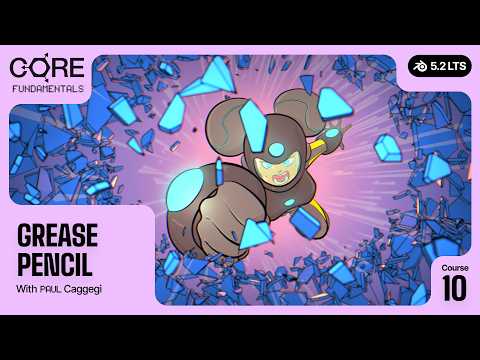
Did you know you can illustrate and animate 2D assets directly inside Blender? Learning Grease Pencil gets you there, and it opens up options in workflows you may not have known you had.
Buy this course: https://superhivemarket.com/products/core-5-grease-pencil
Watch on CG Cookie: https://www.cgcookie.com/courses/core-5-2-fundamentals-of-grease-pencil
Get all 11 courses: https://superhivemarket.com/products/core-lts
This course is short, but packed with information, exercises, and guides.
WHAT YOU WILL LEARN
– The 2D animation layout and the tools in your toolbox
– The brush asset system, and the anatomy of a Grease Pencil object
– Strokes, fills, materials, and color attributes
– Modifiers and effects
– How to work with brushes, build your own custom brush, and save it for ongoing personal use or as an asset you can share with a team or a friend
– The animation system: animating at the object level and the layer level
– How in betweens work, and how to use modifiers to create some stunning effects
INSIDE THE COURSE
01 A detailed overview of the 2D animation layout, the toolbox, the brush asset system, the anatomy of a Grease Pencil object, and modifiers and effects
02 A deeper dive into working with brushes, including creating and saving your own
03 The animation system, in betweens, and modifier driven effects
04 A small project together: a multi layered illustration, completed with some fun effects, then rendered
WHAT YOU WILL BUILD
A rolling ball, a bouncing ball, and a lightning bolt as animation exercises, then a multi layered illustration taken from sketch through inks and flats, lighting, compositing, and render.
20 lessons. Around 2 hours. Recorded in Blender 5.2 LTS.
All the working files are supplied. If you get stuck at any point, or you just want to move ahead, you can pick up the next lesson with the pre made file.
WHAT YOU WILL NEED
General knowledge of Grease Pencil, setting up, organizing, and tool use is fine with just a keyboard and mouse. A drawing tablet or pen display is highly recommended for the best workflow.
As with all the CORE courses, we encourage you to revisit and practice the exercises, ask questions, and post any results you are proud of in the community galleries.
YOUR INSTRUCTOR
Paul Caggegi.
ABOUT CORE V2
Grease Pencil is one of two brand new courses in CORE V2, an 11 course Blender fundamentals series rebuilt from the ground up for Blender 5.2 LTS. Mesh Modeling, Digital Sculpting, Lighting, Materials and Shading, Texturing, Animation, Rigging, Physics, Compositing, Grease Pencil, and Geometry Nodes. More than 45 hours of instruction, project files, exercises, and challenges. Blender 5.2 is a long term support release, so what you learn here stays current for years.
FREE BLENDER TUTORIAL
Model a glowing honey jar in about 14 minutes: https://honeyjar.cgcookie.com
CG COOKIE
https://core.cgcookie.com
#Blender #GreasePencil #2DAnimation
