
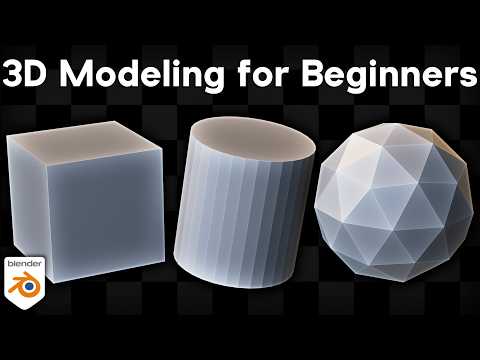
*In this Blender tutorial I will show you how to do 3d modeling for beginners.*
🦆 *3D Modeling Follow Along Tutorials*
• Rubber Duck Tutorial: https://youtu.be/xsUsM5AZ9uI?si=jr5MdIPaefuy46nV
⛄ *Beginner Blender Tutorials:*
• Blender Quick Start Guide: https://youtu.be/LCtVAemG4_M?si=tRgxdHiPn-upOn0G
▶️ *Other Mentioned Tutorials:*
• Use Blender Without Numpad: https://youtu.be/6tYuNEDjgnQ?si=zCqRQn8gGWCi_FG7
✅ *Help Support the Channel:*
• Patreon: https://www.patreon.com/ryankingart
• Gumroad: https://ryankingart.gumroad.com/
• YouTube Memberships: https://www.youtube.com/ryankingart/join
● *Timestamps:*
0:00 Intro
1:05 Basic Shortcuts & Navigation
2:48 Adding Objects
6:30 3d Cursor
7:59 Shade Smooth/Flat
11:20 Edit Mode
13:09 Object Origins
16:31 Multi-Object Editing
17:35 Vertices, Edges, Faces
21:35 X, Y, Z Axis
23:17 Select Box
24:10 Select More
24:49 Edit Mode Delete
26:31 Edit Mode Add Objects
27:26 Hand Model a Cube
28:17 Front, Top, Side View
29:42 Model a Cube from Scratch
31:54 Support the Channel
32:49 Tools Panel
34:14 Add Cube Tool
35:53 Box Carve
36:28 Extrude
39:51 Inset
40:48 Bevel
43:14 Loop Cut
46:31 Knife
47:28 Proper Topology
50:30 Poly Build
51:08 Spin
54:07 Smooth
56:05 Search Feature
56:50 Randomize
57:14 Edge Slide
57:54 Shrink/Flatten
1:00:02 Shear
1:02:32 Rig Region
1:03:16 Merge Vertices
1:06:06 Front/Back Faces
1:08:49 Recalculate Normals
1:12:00 Proportional Editing
1:16:30 Mirror Modifier
1:18:12 Wireframe Mode
1:21:13 Mirror Settings
1:26:03 Apply Modifiers
1:27:08 Bevel Modifier
1:29:39 Sub-Surf Modifier
1:36:18 Join & Separate
1:38:49 Follow Along Practice Tutorials
🎶 *Music Credits:*
Song: Ice Cream Truck – Artist: Kia
Music by: CreatorMix.com
_________________________________________________________________________
🌐 *My Website Links:*
• All links on my about page: https://ryankingart.wordpress.com/77-2/
• Patreon: https://www.patreon.com/ryankingart
• Gumroad: https://ryankingart.gumroad.com/
• ArtStation: https://www.artstation.com/ryanking
• Superhive: https://superhivemarket.com/creators/ryan-king-art/?ref=738
#ryankingart #blendertutorial #blender
