
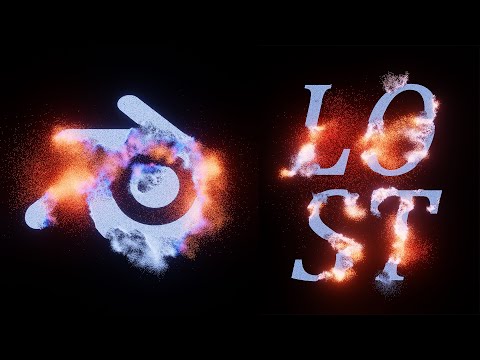
In this blender motion graphic tutorial we will be taking logos and text, converting them into hundreds of particles, and then displacing and animating the particles. We will be using geometry nodes to create the effect and the materials will be driven by noise textures.
These tutorials are part of a new series where we are looking at using blender like it is Photoshop or after effects. Putting images, logos, and text to make interesting effects. In a way replacing the need for some of those affects being done in Adobe tools
———————————-
Full Playlist – https://youtube.com/playlist?list=PLNShHVjao84eegroP3Npt-94ZGgnwA4ur&si=UOvw8rV7ZcovfISL
20% off an annual Membership here
Patreon – https://patreon.com/user?u=9011118&utm_medium=clipboard_copy&utm_source=copyLink&utm_campaign=creatorshare_creator&utm_content=join_link
🌐 Connect with me:
– Instagram: https://www.instagram.com/ducky3d/
– Twitter: https://twitter.com/Ducky3d
