
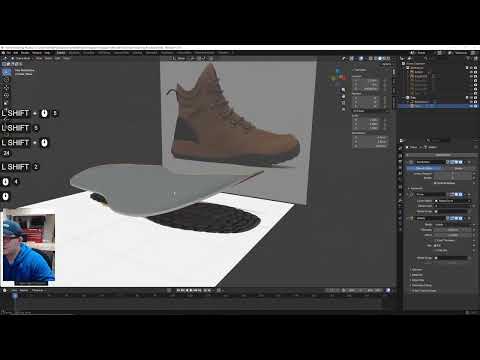
In this live Blender session, we model a detailed hiking shoe from reference images, starting with the sole and building up the upper, lace loops, laces, stitching, materials, and surface detail.
This stream covers a lot of practical hard-surface and soft-surface workflow thinking, including:
• Setting up multiple reference angles
• Blocking out the sole from top and side views
• Using curves to control shoe profile
• Building the upper from separated sections
• Creating lace holders and laces
• Exploring stitching workflows
• Testing sole detail approaches
• Building procedural material ideas for fabric and rubber
Chapter Timestamps
00:00 Intro and SuperHive winter sale mention
00:35 Introducing the shoe modeling challenge
01:20 Importing shoe reference images
04:10 Organizing references and collections
06:00 Blocking out the sole shape
10:10 Using a curve to shape the sole profile
13:20 Extruding the sole walls and shell
17:20 Building the inner side panels
22:10 Adding contour and side structure
26:30 Starting the upper shoe body
34:30 Refining the front and top shoe shape
41:10 Building the back and heel sections
46:30 Quick SuperHive promo break
47:20 Checking proportions from front view
49:10 Continuing the upper structure
58:10 Starting lace holders / eyelets
1:07:20 Creating and placing shoelaces
1:15:10 SuperHive promo break
1:16:00 Exploring sole tread approaches
1:21:30 Testing geometry nodes for sole detail
1:28:40 Beginning stitching workflow with curves
1:38:40 Adding and testing materials
1:49:30 Procedural texture experiments for fabric
1:58:40 Final look, reflections, and wrap-up
This is a great example of real-world product modeling in Blender, where the challenge is less about one perfect technique and more about solving lots of small shape and material problems along the way.
If you want to go deeper into Blender’s physics tools and build stronger core skills, check out the full Blender Physics course here:
https://b3d.cgcookie.com/blender-physics
CG Cookie provides structured Blender training designed to help artists build real, production-ready skills.
Subscribe for more Blender tutorials, live modeling sessions, and Blender Bites.
#Blender #BlenderModeling #ProductModeling #BlenderTutorial
