
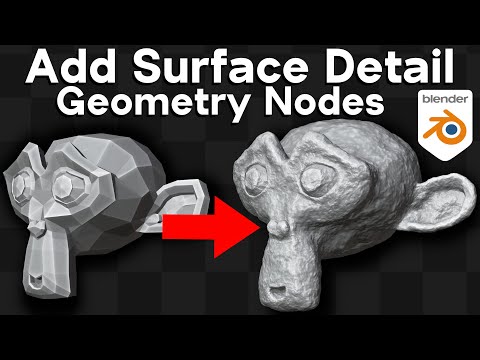
In this Blender tutorial I will show you how to make a Customizable Geometry Nodes Modifier to add surface detail to any object.
● Purchase the Geo-Nodes Modifier Setup:
• Gumroad: https://ryankingart.gumroad.com/l/surface-detail
• Patreon: https://www.patreon.com/posts/88346247
• Blender Market: https://blendermarket.com/products/surface-detail
⭐ Ultimate Procedural Material Pack:
• Gumroad: https://ryankingart.gumroad.com/l/ultimate-materials
• Blender Market: https://blendermarket.com/products/ultimate-materials
▶️ Blender Quick Tips Playlist: https://www.youtube.com/playlist?list=PLsGl9GczcgBsxNhJOVoOwHQDHys1IWLk5
● Help support the channel:
• Patreon: https://www.patreon.com/ryankingart
• Gumroad: https://ryankingart.gumroad.com/
• YouTube Memberships: https://www.youtube.com/ryankingart/join
🎶 Music credits: Lofi Hiphop Intro 45 by TaigaSoundProd – filmmusic.io
● Timestamps:
0:00 Intro & How to Use
2:04 Adding Objects
3:18 Adding Geo-Nodes
4:24 Node Setup
8:40 Custom Values
10:53 Add a Material
11:52 How to Add To Projects
12:49 Use Modifier in Asset Browser
15:35 Closing
_________________________________________________________________________
● My Website Links:
• All links on my about page: https://ryankingart.wordpress.com/77-2/
• Patreon: https://www.patreon.com/ryankingart
• Gumroad: https://ryankingart.gumroad.com/
• Artstation: https://www.artstation.com/ryanking
• Blender Market: https://blendermarket.com/creators/ryan-king-art
• Sketchfab: https://sketchfab.com/ryankingart
• Website: https://ryankingart.wordpress.com/
#ryankingart #blendertutorial #blender
