
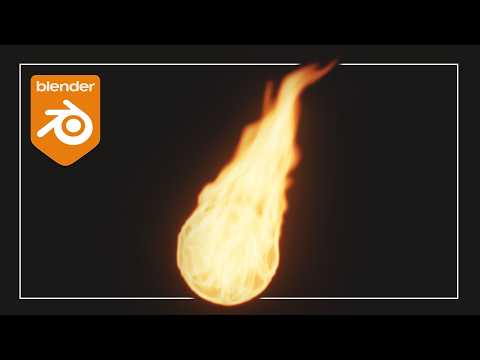
Hello everyone, in this tutorial we will be looking at simulations and learning 5 ways to improve the look of your fire in Blender using Cycles. From materials, to volume settings and colors this video will teach you how to properly render your fire in Blender.
Setup File – https://drive.google.com/file/d/1bDrNCNdOPl67hHhXp5KYqfbcDPAKOdDs/view?usp=sharing
For all tutorial Blend files check out the Patreon – https://www.patreon.com/c/BlenderMadeEasy
Subscribe for more Blender Tutorials! youtube.com/blendermadeeasy?sub_confirmation=1
Check out My Book on Blender Simulations!
https://packt.link/5eT0c
Come join the Discord! – https://discord.gg/2YcMjXK
Download Blender – www.blender.org
Come follow me on social media!
Skillshare Page – https://www.skillshare.com/r/profile/Stephen-Pearson/1431434
Udemy Page – https://www.udemy.com/user/stephen-pearson-3/
Instagram – https://www.instagram.com/blendermadeeasy/
Twitter – https://twitter.com/BlenderMadeEasy
Facebook –https://www.facebook.com/pages/Blender-Made-Easy/654488747984849
Website – www.blendermadeeasy.com
Gaming Channel – www.youtube.com/therealsyberius
PC Specs
i7-9700k 3.60Ghz
Geforce RTX 2060
48GB DDR4
1Tb SSD 1Tb Hard Drive
Make sure you leave a like and subscribe! 🙂
Replay the Video!
https://youtu.be/h_VVHpc5Bt4
0:00 Introduction
0:36 Fixing the Material
3:50 Color Management
4:47 Cubic Interpolation
5:28 Motion Blur
7:57 Adding Glare
9:05 Outro
Music
HAVEN by AERØHEAD | https://soundcloud.com/aerohead
Music promoted by https://www.free-stock-music.com
Creative Commons Attribution-ShareAlike 3.0 Unported
https://creativecommons.org/licenses/by-sa/3.0/deed.en_US
