
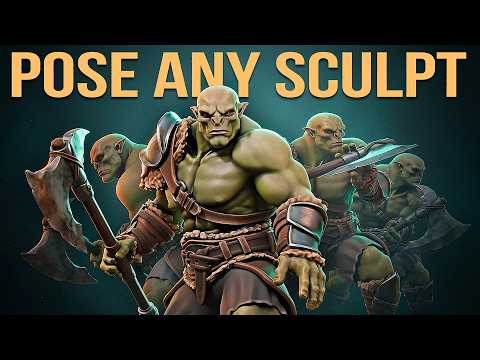
In this video, Jim Morren shares a fast, slightly hacky Blender workflow for quickly throwing together a dynamic pose, saving you hours and making your 3D characters pop when sharing online.
⇨ Master 3D Characters course: https://cgboost.com/courses/master-3d-characters-in-blender
⇨ Download Project Files: https://cgboost.com/resources
CHAPTERS
00:00 – Intro
00:28 – Example Project Scene
01:09 – Character Course Shoutout
01:48 – Creating the Proxy Mesh
03:12 – Exporting FBX
04:06 – Mixamo Auto-Rigging
06:36 – Importing FBX
07:44 – Clean up the Skinning
09:13 – Corrective Smooth – Proxy
10:05 – Surface Deform – Body
11:56 – Corrective Smooth – Body
12:50 – Surface Deform – Clothes
15:00 – Corrective Smooth – Clothes
18:27 – Child Of Constraint – Eyes
20:26 – Child Of Constraint – Axe
21:35 – Turn Table
23:39 – Lights
26:12 – Composting
28:11 – Using Animations
29:52 – Output Settings
30:25 – Outro
MY SYSTEM
CPU: Intel Core i9-12900K 3.19 GHz
GPU: GeForce GTX 3080
RAM: 64 GB
FOLLOW CG BOOST
⇨ X: https://twitter.com/cgboost
⇨ Instagram: https://www.instagram.com/cg_boost
⇨ Facebook: https://www.facebook.com/cgboost
⇨ Web: https://cgboost.com
