
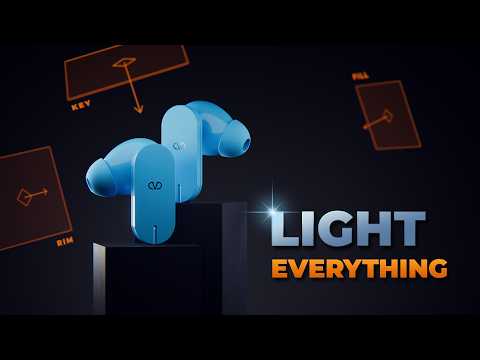
In this video, Louis du Mont (@ldm) shows how to set up 3-point lighting in Blender and why it works. He also shares some tips to help you progress in your lighting journey.
⇨ Check out Light Wrangler (affiliate link): https://superhivemarket.com/products/light-wrangler?ref=84
⇨ Frog Bot Course: https://www.cgboost.com/courses/blender-robot-creation-for-beginners
⇨ Download project files: https://www.cgboost.com/resources
Photography and Cinematography YouTubers:
https://www.youtube.com/@wanderingdp
https://www.youtube.com/@fattmariaphoto
https://www.youtube.com/@markbone
https://www.youtube.com/@LucForsyth
https://www.youtube.com/@RobEllisCinematographer
https://www.youtube.com/@JacobNord
CHAPTERS
00:00 – Intro
00:22 – What is 3-point lighting
00:47 – Practical example
04:43 – Additional lighting tips
06:35 – Outro
MY SYSTEM
CPU: AMD Ryzen 5900x
GPU: NVIDIA RTX 5090
RAM: 96GB
FOLLOW CG BOOST
⇨ X: https://x.com/cgboost
⇨ Instagram: https://www.instagram.com/cg_boost/
⇨ Facebook: https://www.facebook.com/cgboost
⇨ Web: https://cgboost.com/
