
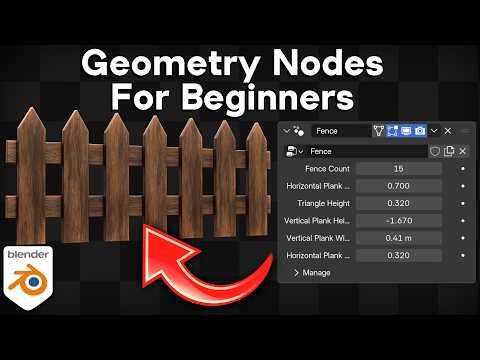
*In this Blender tutorial I will teach the basics of Geometry Nodes for Beginners.*
▶️ *My Geometry Node Projects:*
• Geo-Node Products: Gumroad: https://ryankingart.gumroad.com/?section=KVNEiYy259oZeJCmhoJqFA%3D%3D
▶️ *Mentioned in the Video:*
• Modifiers for Beginners: https://www.youtube.com/watch?v=F_f-O-W9lMU
• Low Poly Playlist: https://www.youtube.com/playlist?list=PLsGl9GczcgBvfCQL83JZO_OPGgjn12yuh
🗃️ *Purchase the Project Files:*
• Gumroad: https://ryankingart.gumroad.com/l/geo-nodes
• Patreon: https://www.patreon.com/posts/162886398
💡 *Geometry Nodes Christmas Lights:*
• Purchase: https://ryankingart.gumroad.com/l/christmas-lights
• Trailer Video: https://www.youtube.com/watch?v=0Rhw60udQG8
🌳 *Low Poly Asset Pack:*
• Gumroad: https://ryankingart.gumroad.com/l/lowpoly-pack
• Superhive: https://superhivemarket.com/products/low-poly/?ref=738
● *Timestamps:*
0:00 Intro
1:00 The Basics
4:50 Examples
7:42 Shortcuts
9:41 Spreadsheet
12:25 Node Basics
23:45 Node Previews
27:45 More Common Nodes
34:52 Math & Vector Math
37:42 Christmas Lights
51:58 Light Materials
57:24 Christmas Lights Product
58:43 Scatter On Surface
1:12:52 Fence
1:20:55 Custom Settings
1:26:37 Apply Geo-Nodes
1:29:04 Closing
🎶 *Music Credits:*
”Chill Wave” Kevin MacLeod (incompetech.com)
Licensed under Creative Commons: By Attribution 4.0 License
http://creativecommons.org/licenses/by/4.0/
_________________________________________________________________________
🌐 *My Website Links:*
• All links on my about page: https://ryankingart.wordpress.com/77-2/
• Patreon: https://www.patreon.com/ryankingart
• Gumroad: https://ryankingart.gumroad.com/
• ArtStation: https://www.artstation.com/ryanking
• Superhive: https://superhivemarket.com/creators/ryan-king-art/?ref=738
#ryankingart #blendertutorial #blender
