
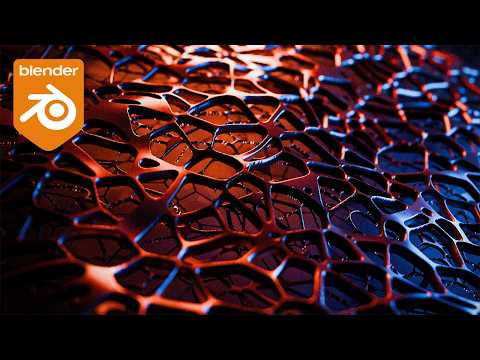
Hello everyone, in this blender tutorial I’ll be showing you how to create a simple Voronoi style mesh pattern using geometry nodes. We’re going to covers three different setups, including one for 3D printing and another for more organic procedural modeling and a more stylized voronoi with displacement.
For all tutorial Blend files check out the Patreon – https://www.patreon.com/c/BlenderMadeEasy
Subscribe for more Blender Tutorials! youtube.com/blendermadeeasy?sub_confirmation=1
Check out My Book on Blender Simulations!
https://packt.link/5eT0c
Come join the Discord! – https://discord.gg/2YcMjXK
Download Blender – www.blender.org
Come follow me on social media!
Skillshare Page – https://www.skillshare.com/r/profile/Stephen-Pearson/1431434
Udemy Page – https://www.udemy.com/user/stephen-pearson-3/
Instagram – https://www.instagram.com/blendermadeeasy/
Twitter – https://twitter.com/BlenderMadeEasy
Facebook –https://www.facebook.com/pages/Blender-Made-Easy/654488747984849
Website – www.blendermadeeasy.com
Gaming Channel – www.youtube.com/therealsyberius
PC Specs
i7-9700k 3.60Ghz
Geforce RTX 2060
48GB DDR4
1Tb SSD 1Tb Hard Drive
Make sure you leave a like and subscribe! 🙂
Replay the Video!
https://youtu.be/y4JqSCodsg0
Blender Tutorial Voronoi Texture Geometry Nodes Displacement EEVEE Cycles Blender Made Easy
Music
HAVEN by AERØHEAD | https://soundcloud.com/aerohead
Music promoted by https://www.free-stock-music.com
Creative Commons Attribution-ShareAlike 3.0 Unported
https://creativecommons.org/licenses/by-sa/3.0/deed.en_US
